Migrate address book(s) and calendar(s) towards the new Webmail • Migration process for the calendar(s)
Note: the screenshots presented on this page are in French.
Step 1 - Export your calendar entries
- Connect to the old webmail interface.
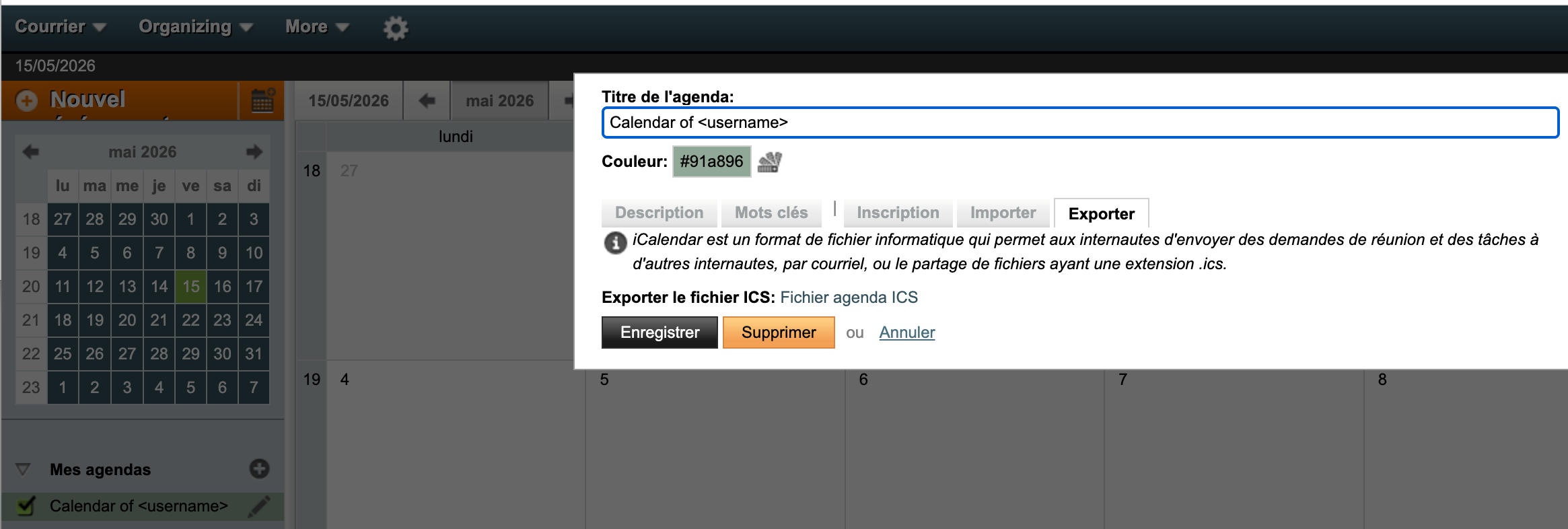
- Click on ‘Organisation’ and then ‘Calendar’.
- In the left-hand bar, select the calendar you want to export and click on the pencil right next to it.
- A pop-up window opens, click on the ‘Export’ tab.
Step 2 - Import your calendar entries
- Connect to the Webmail interface.
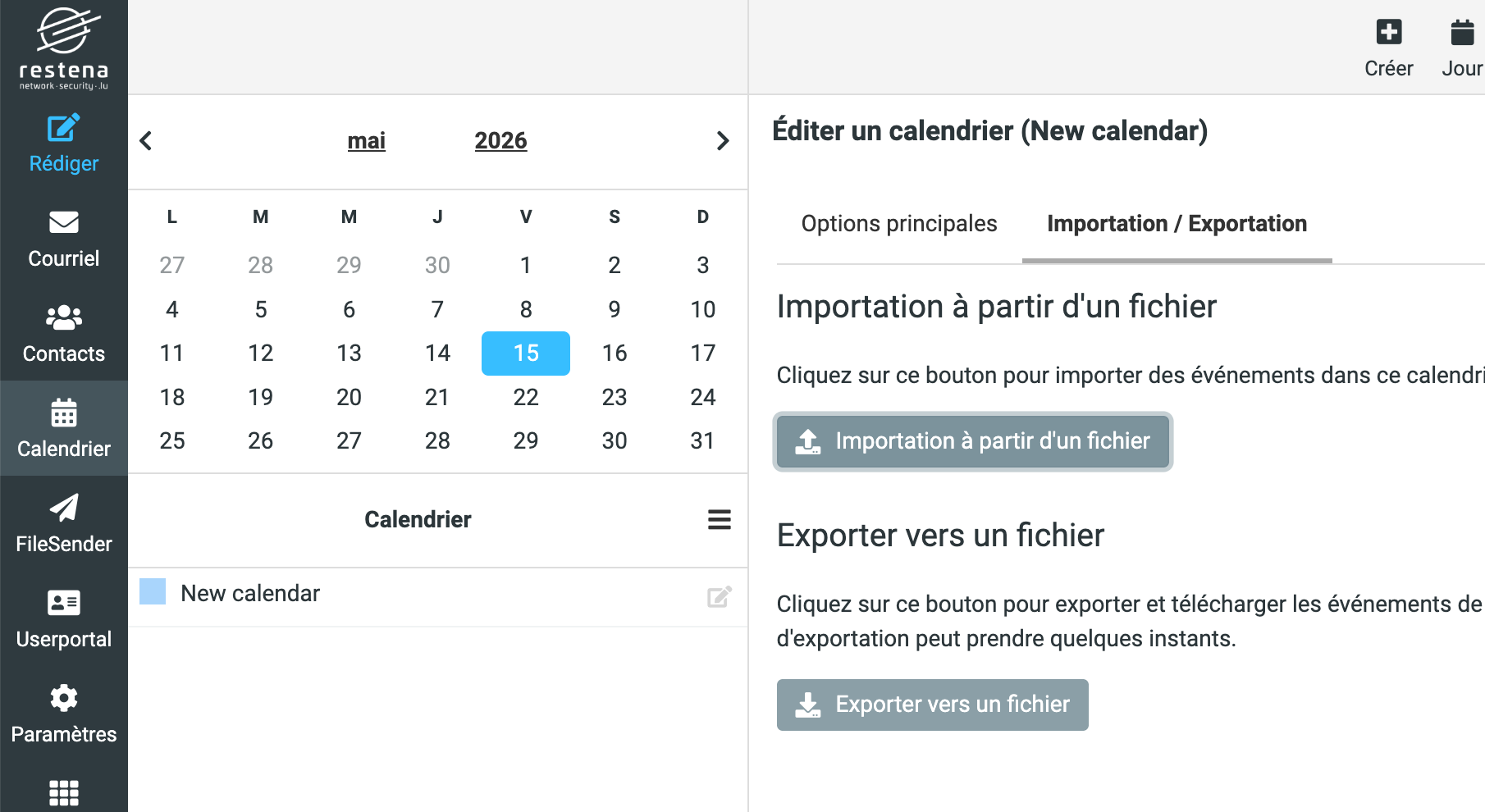
- In the left-hand bar, click on ‘Calendar’.
- Under ‘Calendars’ section, click on the pencil next to ‘New calendar’.
- Click on the ‘Import / Export’ tab.
- Click on ‘Import from file’ button’ and select the file you have previously exported.
- Click on ‘Save’ on the bottom right.