Migrate address book(s) and calendar(s) towards the new Webmail • Migration process for the address book(s)
Note: the screenshots presented on this page are in French.
Step 1 - Export your address book(s)
1. Connect to the old webmail interface.
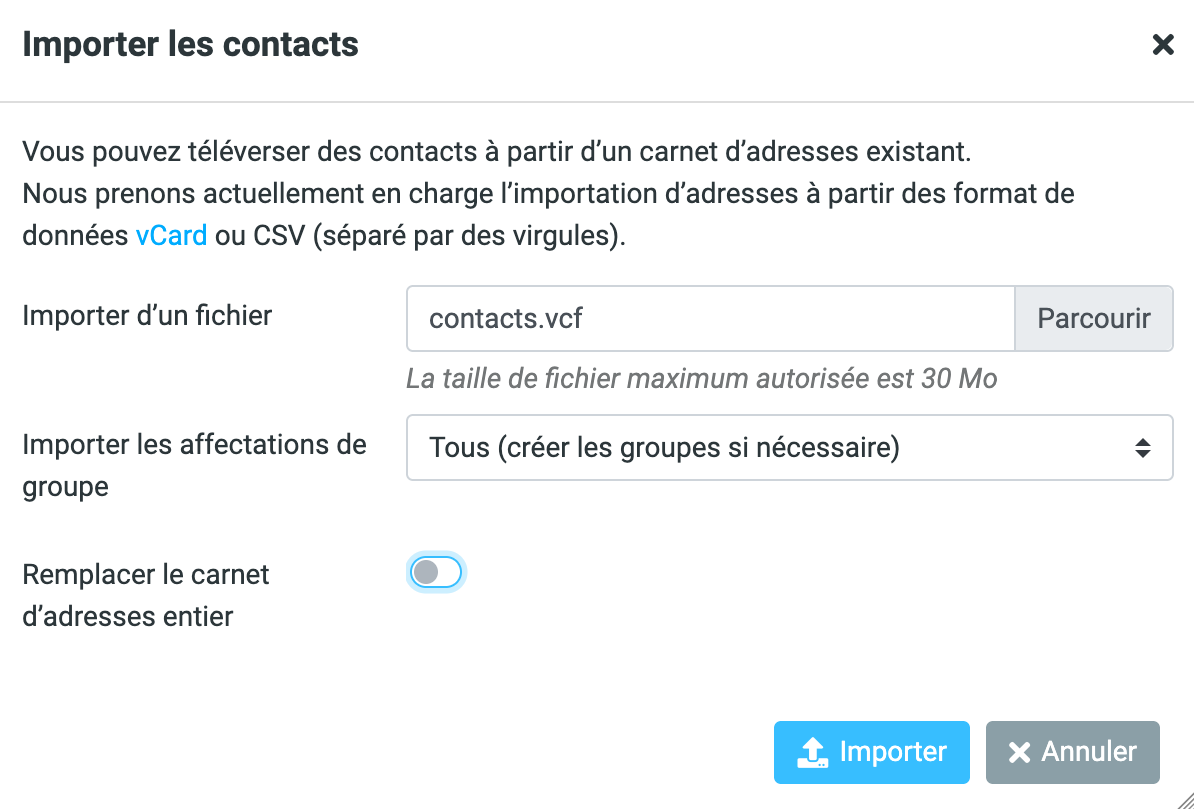
2. Click on ‘Webmail’ and then ‘Address book’.
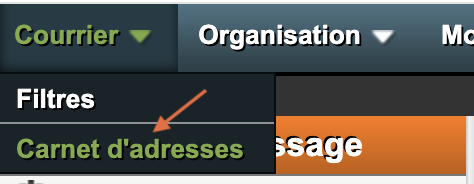
3. Click on ‘Import/Export’.
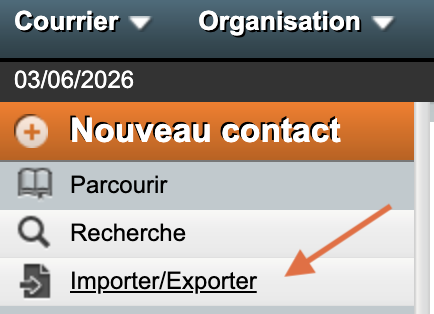
4. Under ‘Export address books’, select the export format "vCard (3.0)" and do the process for all of your address books; most users will only have one, called ‘My address book’.
Click on ‘Export’.
Step 2 - Import your address book(s)
1. Connect to the Webmail interface.
2. In the left-hand bar, click on ‘Contacts’.
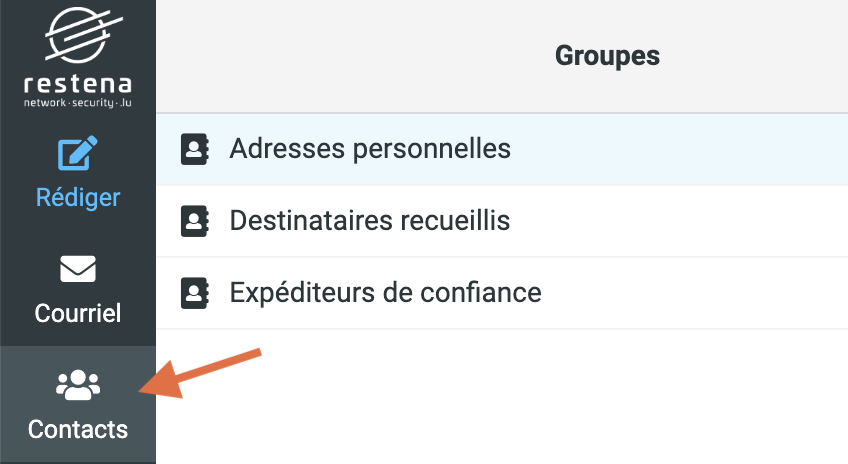
3. In the options displayed at the top right, click on ‘Import’.

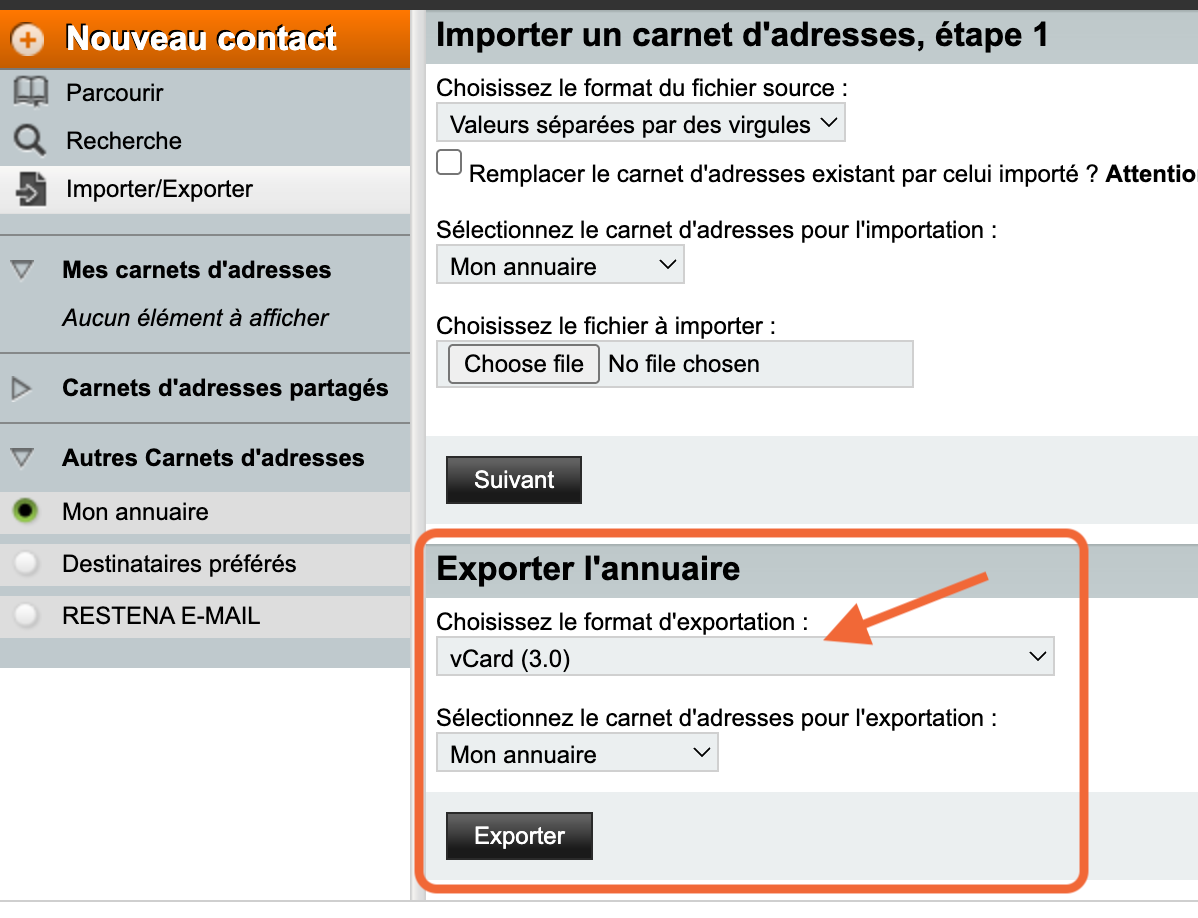
4. A pop-up window displays, there select the file you have previously exported, then click on the blue button ‘Import’.